Dishwasher control troubleshooting

Dishwasher Control Panel Not Responding? Check Lock and Latch

Usually, sort what you see first: a dark panel points toward power, while a lit panel that ignores buttons points toward lock settings, Delay Start, the latch, or the control surface. Check the breaker or under-sink switch and the lock indicator before pricing electronics.

The symptom tells you where to look. A completely dark panel is a different problem than a lit panel that ignores buttons, and a half-working keypad is different again.

Use the first minute to sort the failure: dark panel, lit but ignored buttons, Start-only trouble, repeatable dead keys, door-pressure clues, or moisture and ghost-beeping behavior.

Don’t start with: Do not defeat the door latch, open the inner door with power on, or order electronics until you have the exact model number.

Active clue: panel is darkCheck breaker, under-sink switch, plug/outlet if safely accessible, and stop if the breaker trips again.
Active clue: lights are onCheck Control Lock, Delay Start/Sleep Mode, door latch behavior, and repeatable touchpad failures before buying parts.

Do this first

  • Use dry hands around the sink, switches, and dishwasher controls.
  • If the panel is dark, check the breaker, outlet, plug, or under-sink switch before removing panels.
  • If the breaker trips again, stop.
  • If you smell burning plastic, see scorch marks, or find melted wiring, leave power off and call a pro.
  • Do not remove the inner door panel unless the dishwasher is unplugged or the breaker is off.
  • Do not defeat or jumper the door latch.
  • Do not spray cleaners into the control panel.
Last reviewed: 2026-06-30

60-second decision tree

Is the panel completely dark?

Check breaker, under-sink switch, plug/outlet if safely accessible, and GFCI if present. Stop if the breaker trips again or heat damage is visible.

Are lights on but buttons ignored?

Check Control Lock or Child Lock, Delay Start, Sleep Mode, then reset power.

Does Start refuse to work but other buttons respond?

Check the door latch, rack or dish interference, Start/Resume sequence, delay wash, and latch click.

Do only some buttons fail every time?

Touchpad, keypad, or user interface is more likely than house power.

Does it work only when you push, lift, or press the door?

Door latch, strike alignment, or rack interference is the likely path.

Is there moisture, bubbling, cracks, or ghost beeping at the panel?

Treat moisture, a stuck key, or touchpad failure as the better clue.

Dark panel and lit panel are different problems

Use the visible symptom first. A dead display sends you to power. A lit display that ignores buttons sends you to lock, latch, and keypad clues.
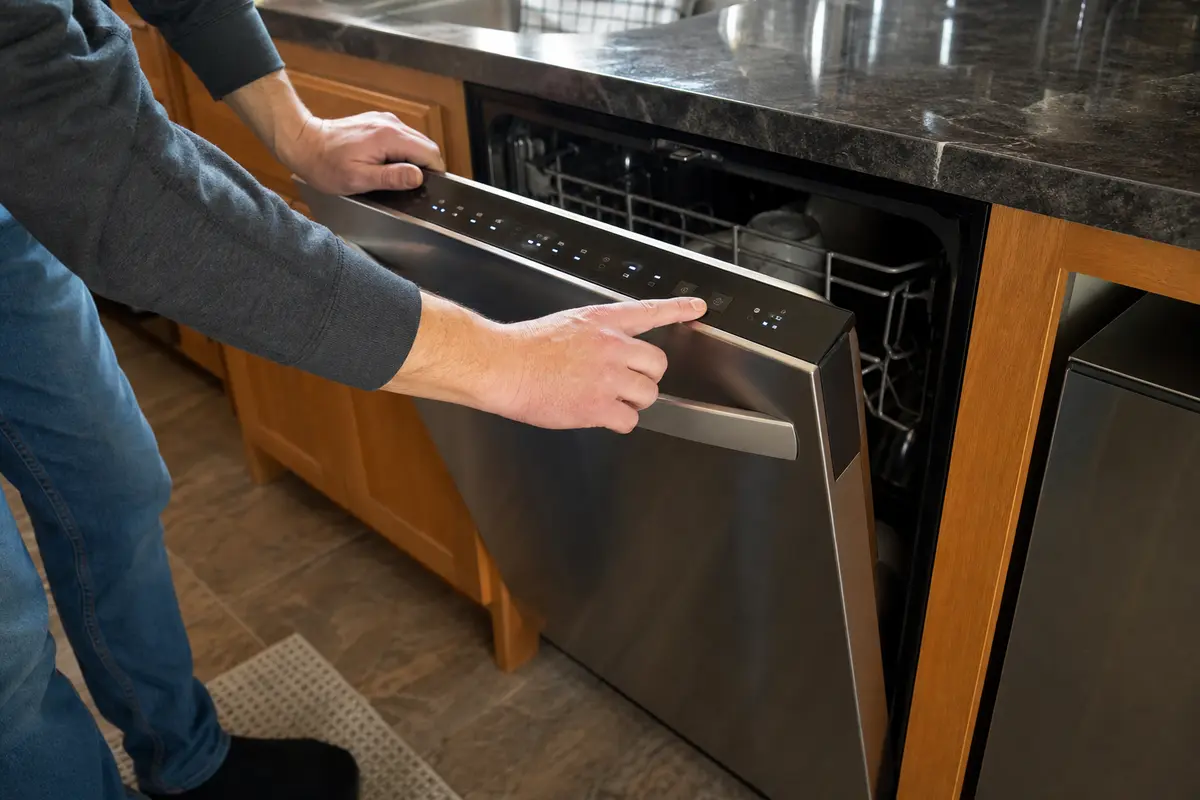
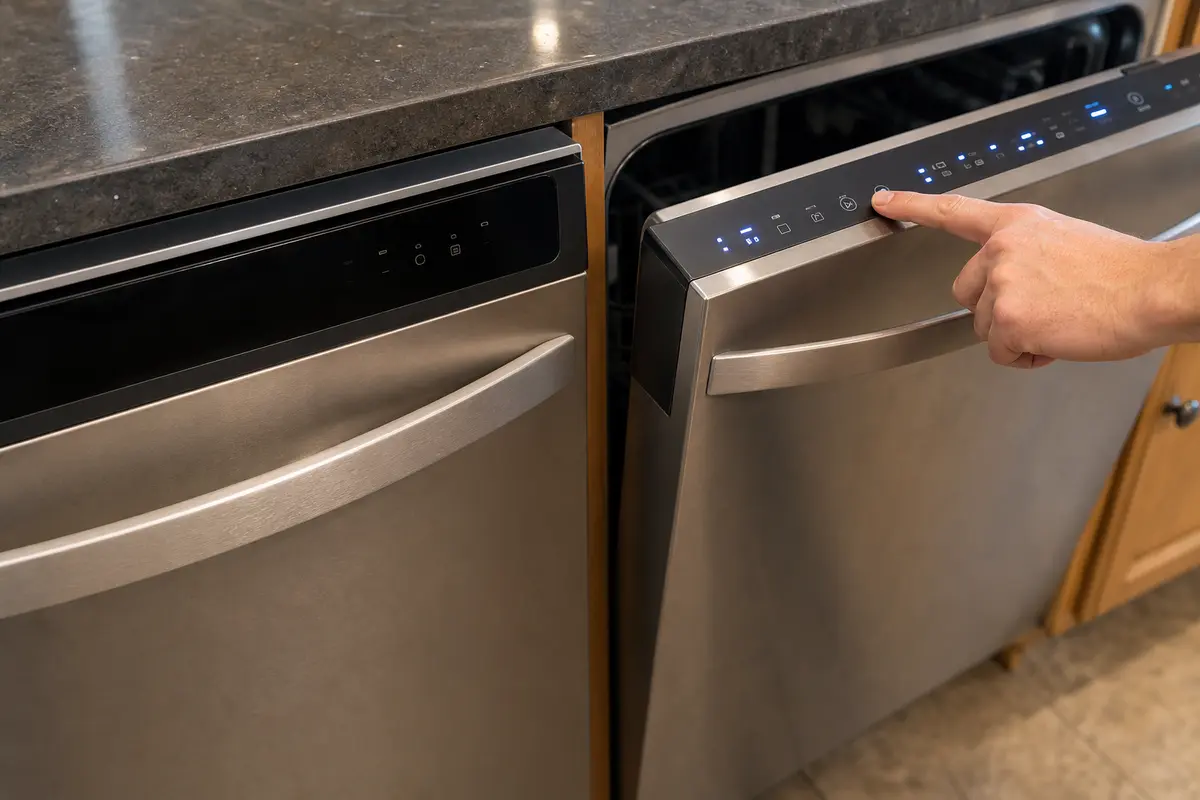
Dishwasher control panel with unresponsive buttons and a homeowner checking the display
A lit panel that ignores Start is not automatically a bad control board. Sort lock, latch, and touchpad clues first.
Decision guide comparing a completely dark dishwasher panel with a lit but unresponsive panel
Dark panel and lit-but-unresponsive panel have different first checks.

Before you buy anything

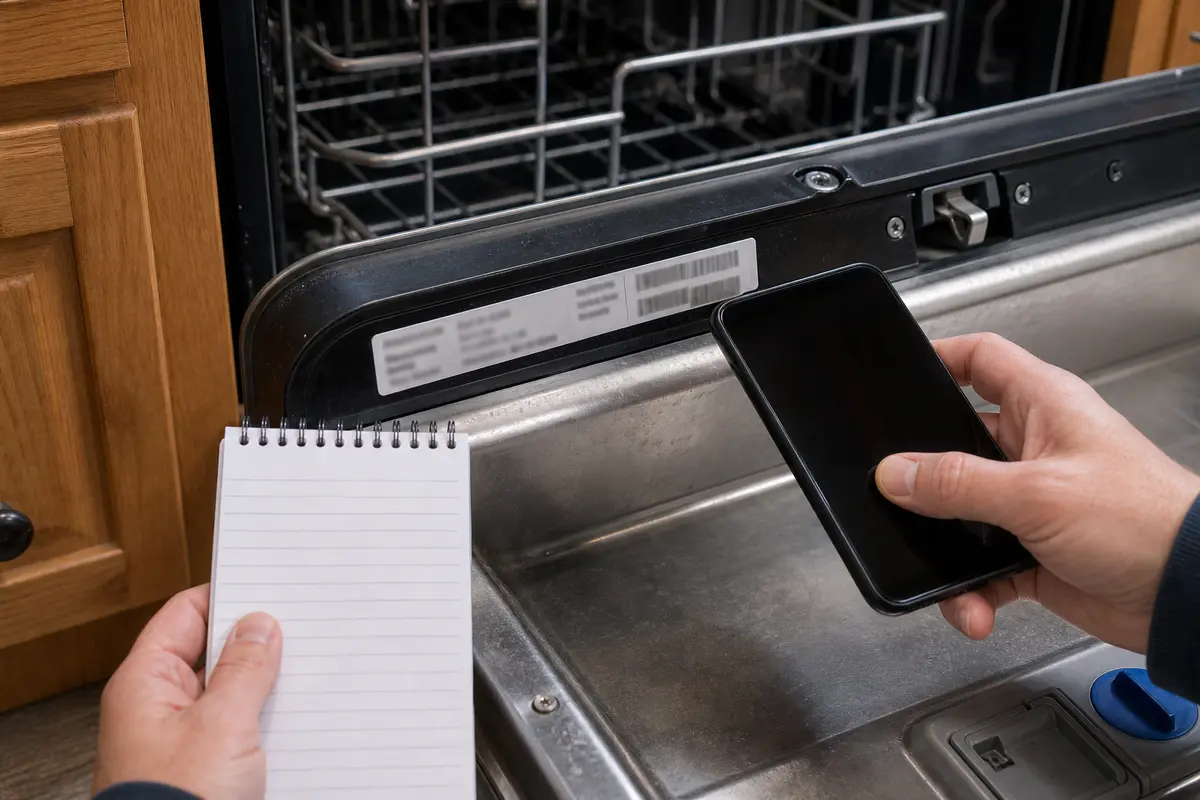
Before you buy parts: open the door and copy the full model number from the tub frame, door edge, or side label. Match the latch, touchpad, overlay, user interface panel, or control board by model; check warranty first.

What is probably happening

The symptom tells you where to look. A dark panel and a half-working panel are different problems.
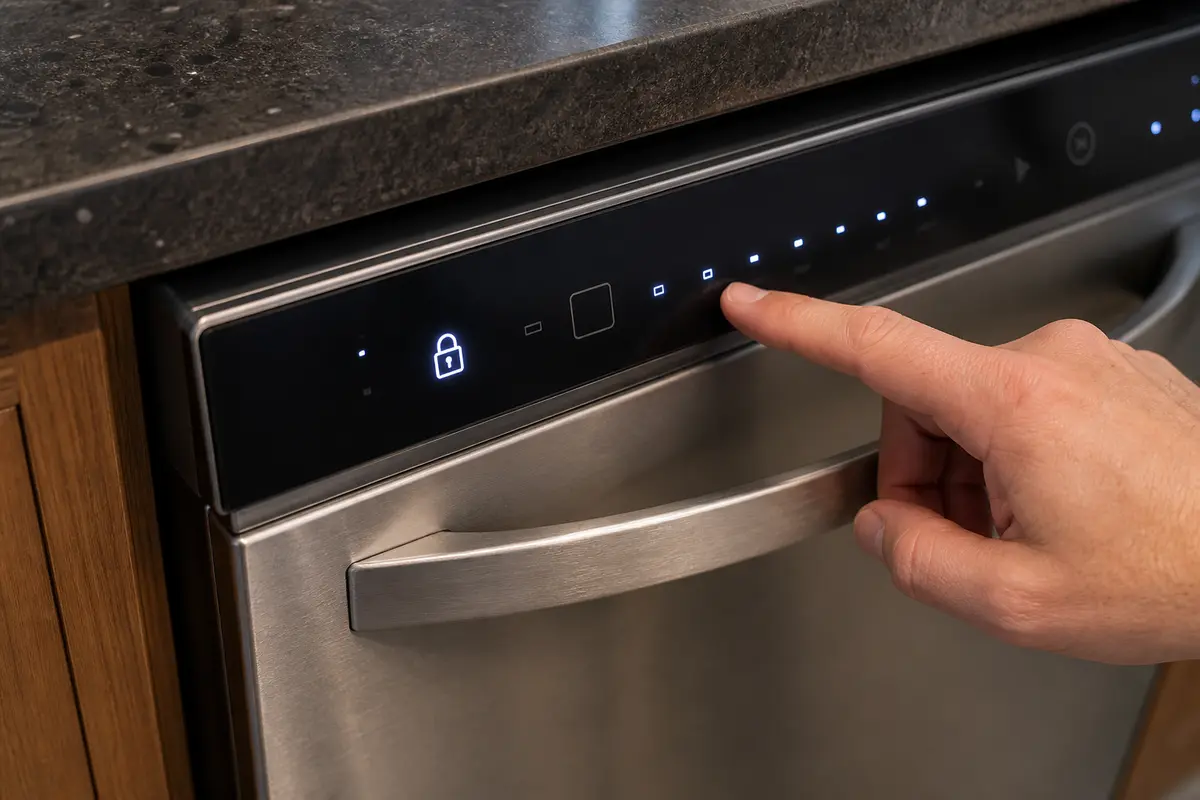
Dishwasher control lock icon showing that locked controls can make buttons seem unresponsive
A lock icon or locked control state can make good buttons look dead. The clearing step depends on the model.
  • Lost power or switched outlet: if the panel is dark, check the breaker, under-sink switch, and plug or outlet if safely accessible. If those are on and the panel stays dark, the internal power path moves up the list.
  • Control Lock, Child Lock, Sleep Mode, or Delay Wash: a lit panel can ignore commands because the controls are intentionally locked or the cycle is waiting.
  • Door latch not signaling closed: the dishwasher may light up but refuse Start if the latch switch does not confirm the door is shut.
  • Moisture, residue, or a stuck button: steam, spills, detergent film, or a damaged overlay can make the keypad behave strangely.
  • Touchpad, keypad, or user interface failure: same dead buttons every time is stronger evidence than one random glitch.
  • Thermal fuse, wiring, or main control issue: these move up only after the breaker, under-sink switch, and accessible plug or outlet check out. They also move up when symptoms come and go without a lock or latch clue.

What not to do

Do not turn a small lock, latch, or keypad problem into an expensive electronics guess.
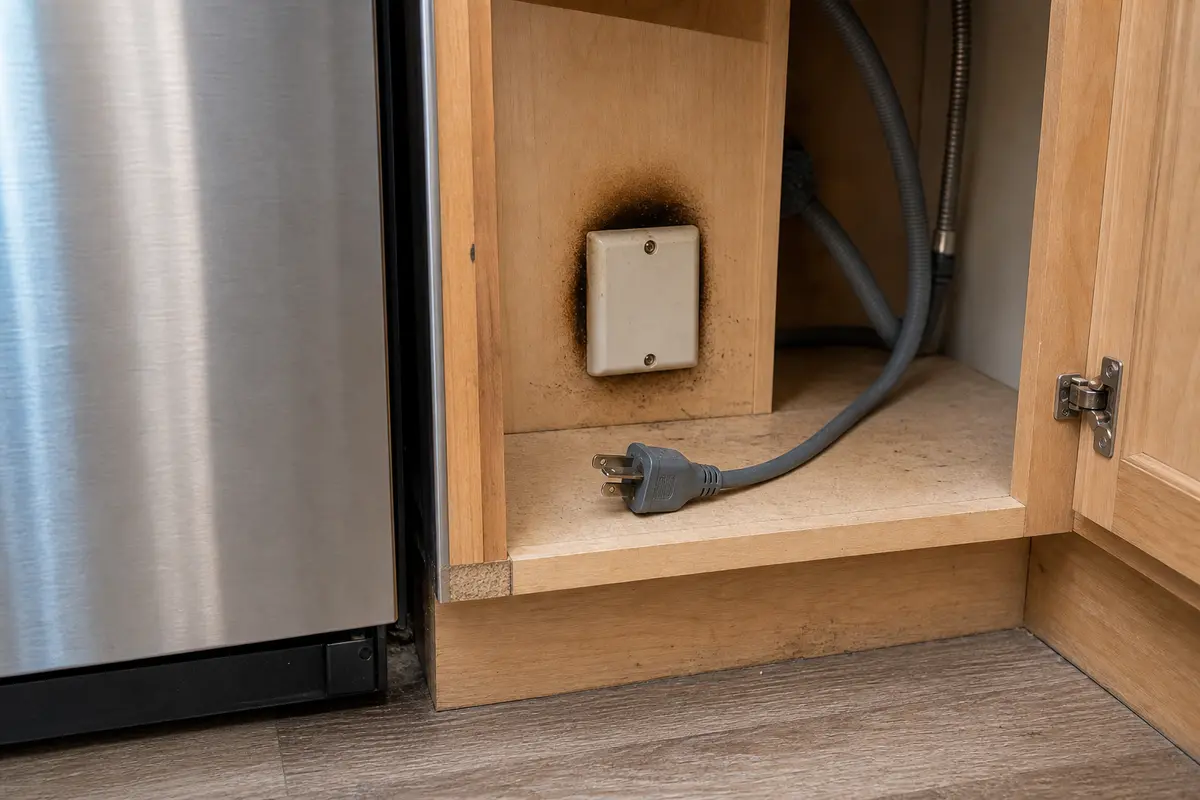
Dishwasher safety warning for burning smell, scorch marks, or breaker trips
Heat damage, burning smell, or a breaker that trips again after reset means stop. Leave power off; this is a service call, not a parts-shopping problem.
  • Do not order the main control board first.
  • Do not defeat or jumper the door latch.
  • Do not remove the inner door panel with power on.
  • Do not spray cleaner into the keypad seam.
  • Do not repeatedly reset a breaker that trips again.
  • Do not assume every brand clears Control Lock the same way.
  • Do not buy parts without the exact model number.

Step-by-step fix

Work from the outside in. No live-voltage testing inside the door or junction box is needed for these homeowner checks.
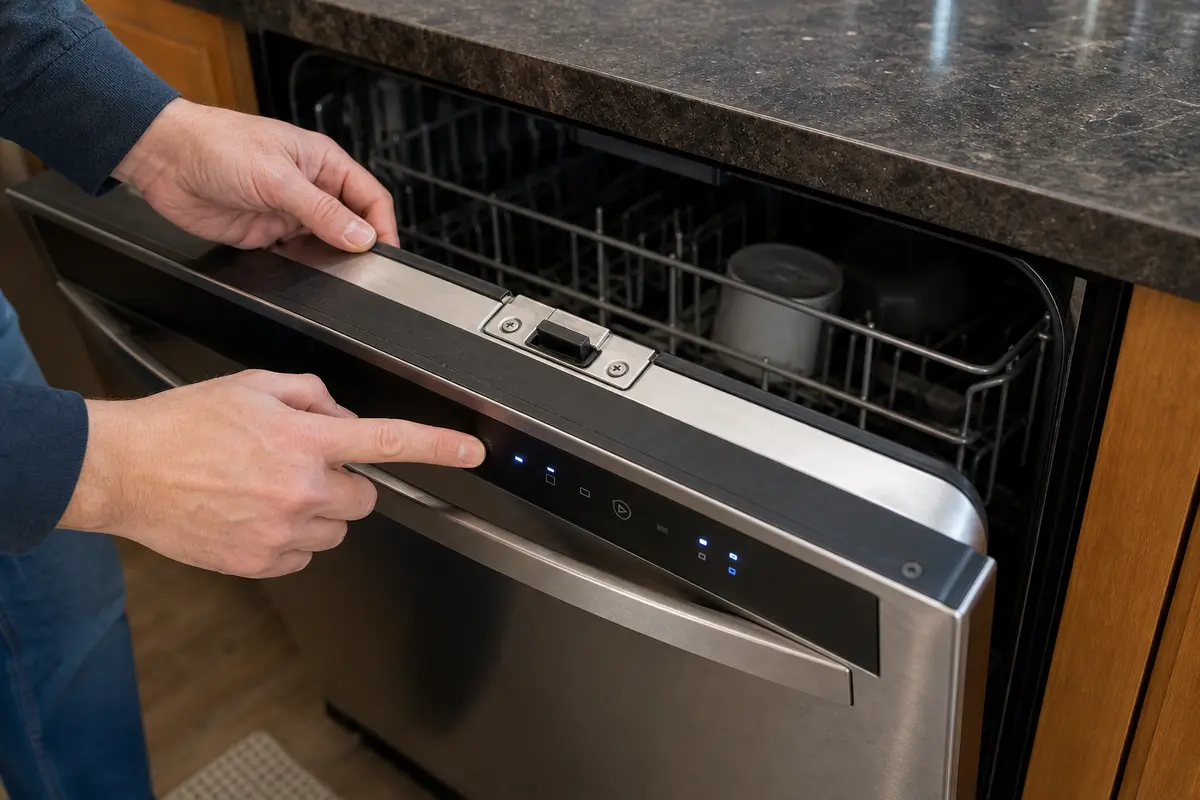
Dishwasher door latch area showing that a poor latch can prevent the control panel from starting a cycle
If Start works only with door pressure, the latch and strike deserve attention before electronics.
  • Step 1: Separate dark panel from lit-but-ignored panel. Dark means power path; lit means lock, latch, keypad, or interface path.
  • Step 2: Check simple power shutoffs. Reset the breaker fully off/on, check an under-sink switch, check the plug/outlet if safely accessible, and stop if the breaker trips again.
  • Step 3: Clear Control Lock, Delay Start, and Sleep Mode. Look for a lock icon or delay indicator, then use the owner manual. Whirlpool, GE, Samsung, LG, Bosch, and Maytag all use different button names on different models.
  • Step 4: Test the door latch without slamming. Check racks, tall dishes, silverware, and gasket interference; listen for a solid latch click; gently press the top corners while trying Start.
  • Step 5: Look for touchpad or user interface clues. Same buttons dead, hard pressing, bubbling, cracks, moisture, ghost beeping, or intermittent recovery after drying all point toward the control surface.
  • Step 6: Decide whether this is parts, service, or replacement. Door-pressure clues point toward the latch, the same dead keys after drying point toward touchpad/interface, and a dark panel after safe power checks or any heat damage needs service diagnosis before parts.

Tools You May Need

These are for basic, no-disassembly checks only. They are not permission to work on live wiring or open the inner door with power on.

Flashlight for checking dishwasher latch area, plug, switch, and model label

Inspection flashlight

Helps when: You need to see the plug, under-sink switch, latch area, or model-number label without pulling the dishwasher apart.

Skip it when: The inspection requires pulling the dishwasher out, opening electrical covers, or reaching into cramped wiring areas.

Compare flashlights on Amazon
Screwdriver set for basic dishwasher panel and latch-area access after power is off

Screwdriver set

Helps when: You are removing only a toe-kick access cover after the dishwasher is unplugged or the breaker is off, and the manual allows that access.

Skip it when: The dishwasher is still powered, the door must be opened internally, or you are unsure what panel you are removing.

Compare screwdriver sets on Amazon
Non-contact voltage tester for basic no-touch dishwasher power checks

Non-contact voltage tester

Helps when: You want a basic no-touch check around an accessible outlet or supply area before deeper troubleshooting.

Skip it when: Diagnosis requires exposed wiring, live internal testing, or anything you are not trained to do.

Compare voltage testers on Amazon
Microfiber cloth for drying moisture from a dishwasher control panel

Microfiber cloth

Helps when: You are gently drying moisture from the control surface or wiping residue from the latch area.

Skip it when: You are tempted to spray cleaner into the keypad seam or soak the panel.

Compare microfiber cloths on Amazon

As an Amazon Associate I earn from qualifying purchases. Repair Riot may earn a commission at no extra cost to you.

Moisture and stuck-key clues

Water sitting on the control seam can create strange button behavior. Dry gently; do not force liquid into the panel.
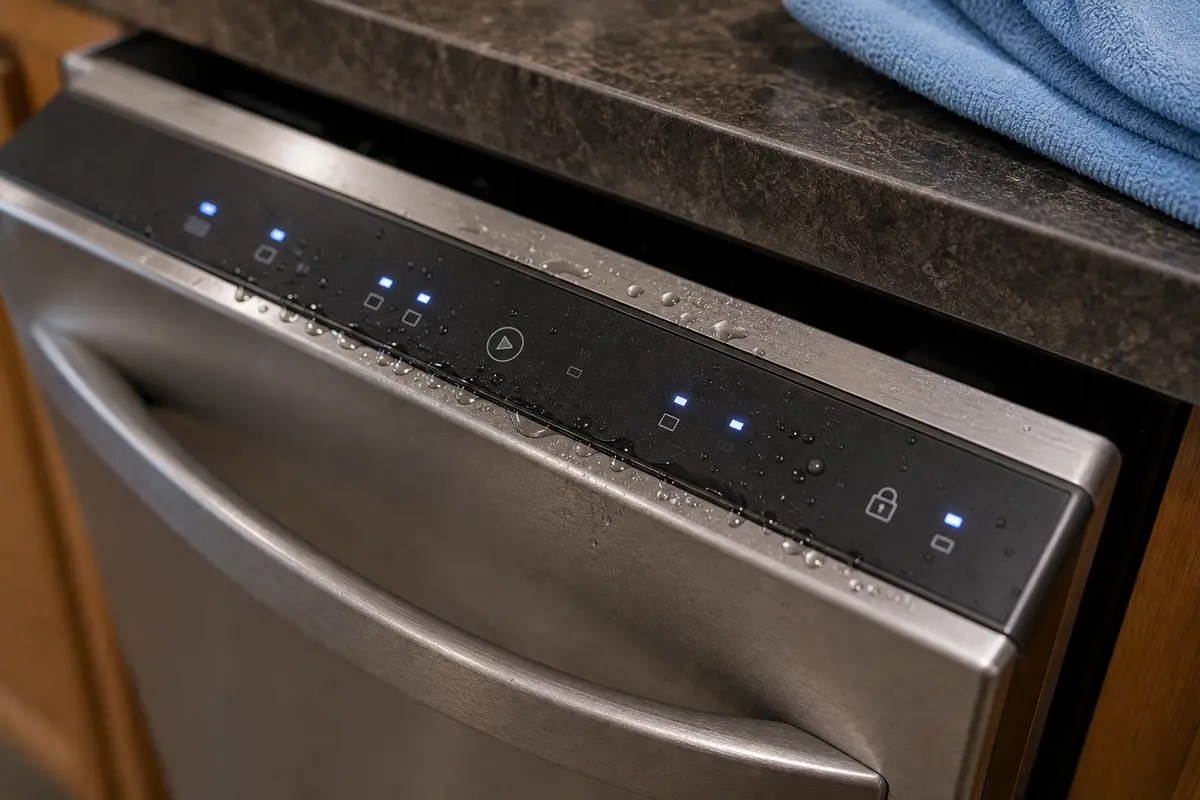
Moisture near dishwasher touchpad seam that can cause buttons to fail or beep oddly
Dry the surface. Spraying cleaner into the seam can make a keypad problem worse.
  • Use a dry microfiber cloth on the control surface.
  • Do not spray cleaner into the keypad seam.
  • If the same buttons keep failing after drying, price the touchpad or user interface by exact model number.
  • If there is water inside the door or near wiring, stop and call service.

What to write down before calling service or buying parts

Good notes prevent bad guesses.

Dishwasher model number label on the door frame used before buying replacement parts
Model number first. Dishwasher control parts are not universal, even when they look similar.
  • Exact brand and model number.
  • What happens when you press Power or Start.
  • Whether the panel is dark or lit.
  • Whether a lock, delay, or sleep indicator is on.
  • Whether door pressure changes behavior.
  • Whether the breaker trips.
  • Any burning smell, leaks, scorch marks, or heat damage.
  • Which buttons fail every time.

Replacement Parts

Compare parts only after the symptom points somewhere specific. The latch path, touchpad path, user-interface path, and main-control-board path are different repairs. Dishwasher electronics are model-specific; a lookalike part can still be wrong.

Dishwasher door latch replacement part category

Dishwasher door latch

Helps when: Door pressure changes the symptom, the latch click is weak, or the machine only starts when the door is pushed or lifted. Use the full model number from the tub label.

Skip it when: The panel is completely dark with unconfirmed power, or the latch clue is not present.

Compare door latches on Amazon
Dishwasher touchpad or keypad overlay replacement part category

Dishwasher touchpad / keypad overlay

Helps when: The same buttons fail every time, the overlay is cracked or bubbled, or buttons need hard presses. Confirm the part number by model tag, not by photo.

Skip it when: Control Lock, Delay Start, door latch, and moisture have not been checked yet.

Compare touchpads on Amazon
Dishwasher user interface panel replacement part category

Dishwasher user interface panel

Helps when: Your model sells the keypad/display as one user interface panel, and the same control-surface buttons fail after lock, latch, Delay Start, and moisture checks. Match the full model number before comparing panels.

Skip it when: You are buying based only on appearance or have not ruled out lock settings and latch behavior.

Compare UI panels on Amazon
Dishwasher main control board replacement part category with caution to diagnose first

Dishwasher main control board

Helps when: A technician identifies it, or power, lock settings, latch clues, touchpad symptoms, and wiring concerns have been ruled out. Order only by verified model number and diagnosis.

Skip it when: You are guessing if power, lock settings, latch behavior, and touchpad clues have not been checked. Do not put the control board in the cart first.

Compare control boards on Amazon

As an Amazon Associate I earn from qualifying purchases. Repair Riot may earn a commission at no extra cost to you.

FAQ

Why are my dishwasher lights on but buttons do nothing?

The common causes are Control Lock or Child Lock, Delay Start, Sleep Mode, a door latch that is not signaling closed, or a stuck/failing touchpad. Check those before buying electronics.

How do I know if Control Lock is on?

Look for a lock icon, Control Lock light, Child Lock message, or ignored buttons while the display panel stays awake. Check the manual or label near the icon; the button hold varies by model.

Why does Start not work but other buttons do?

Start is often blocked by a door-latch signal, Delay Start, Control Lock, or a model-specific Start/Resume sequence. If the door pressure changes the symptom, inspect latch behavior first.

Can a bad door latch make the control panel seem dead?

Yes. Some dishwashers light up but refuse Start when the latch switch does not confirm the door is closed. A strong clue is when it works only while you push or lift the door.

Should I replace the control board first?

Usually no. Look at the clues first: power, lock settings, latch behavior, repeatable touchpad failures, and the model-specific reset. If the panel is dark after safe power checks, or the same keys fail every time, follow that clue before buying a board.

What if the panel is completely dark?

Treat a dark panel as a power-path problem first. Check the breaker, any under-sink switch, plug/outlet if safely accessible, and stop if the breaker trips again or heat damage is visible.

Can moisture damage a dishwasher touchpad?

Yes. Moisture around the keypad seam can cause dead buttons, ghost beeping, or intermittent response. Dry the surface gently and do not spray cleaner into the control panel.

How long should I turn the breaker off to reset it?

Manufacturer guidance commonly ranges from about one minute to several minutes depending on brand and model. Use your manual when available; do not keep resetting a breaker that trips again.

Where do I find the dishwasher model number?

Open the door and look around the tub frame, door edge, or side label. Use the exact model number before ordering a latch, touchpad, user interface panel, or control board.

Is it worth repairing a dishwasher with a dead control panel?

It can be if the fix is a setting, latch, or reasonably priced interface part and the dishwasher otherwise works well. Think harder if it is older, leaks, cleans poorly, or needs expensive electronics.

Can I use a non-contact voltage tester?

You can use one for basic no-touch checks around an accessible outlet or supply area. Do not use it as permission to perform live internal testing or open electrical covers while powered.

When should I stop and call a pro?

Stop for repeated breaker trips, burning smell, scorch marks, melted wiring, leaks near electrical parts, exposed wiring, or any diagnosis that requires live-voltage testing inside the door or junction box.

Why does my dishwasher work after I turn the breaker off, then fail again?

A reset can temporarily clear a stuck control state, but repeated failure points back to the latch, moisture, touchpad or user interface, power interruption, or control diagnosis. Do not keep resetting a breaker that trips.

Is the touchpad the same thing as the control board?

No. The touchpad, keypad, or user interface is the part you press; the main control board is the deeper electronic control. Look for the clue: same dead buttons, bubbling, moisture, or hard presses point to the control surface. Check power first when the panel is dark.

How this guide was built

Repair Riot builds each guide from what you can see: dark panel, lock light, latch clue, or failed control surface. The references below support model, safety, and public guidance.