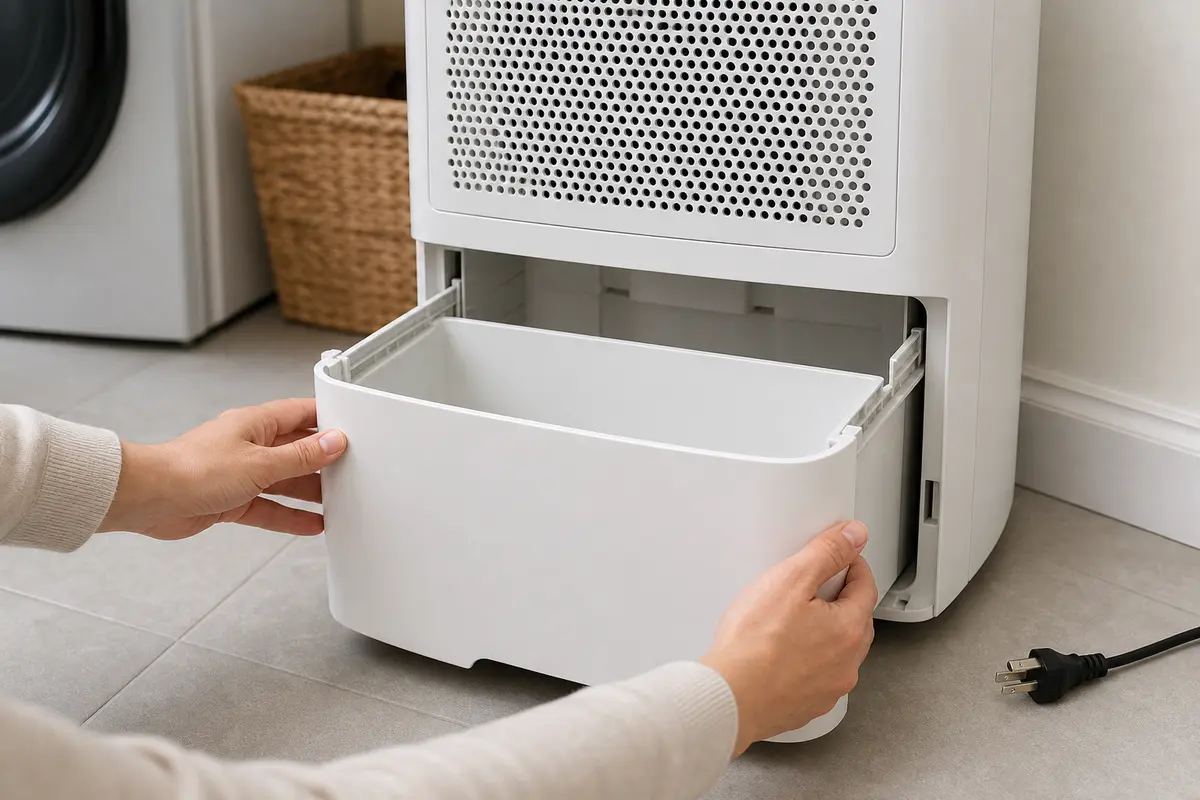
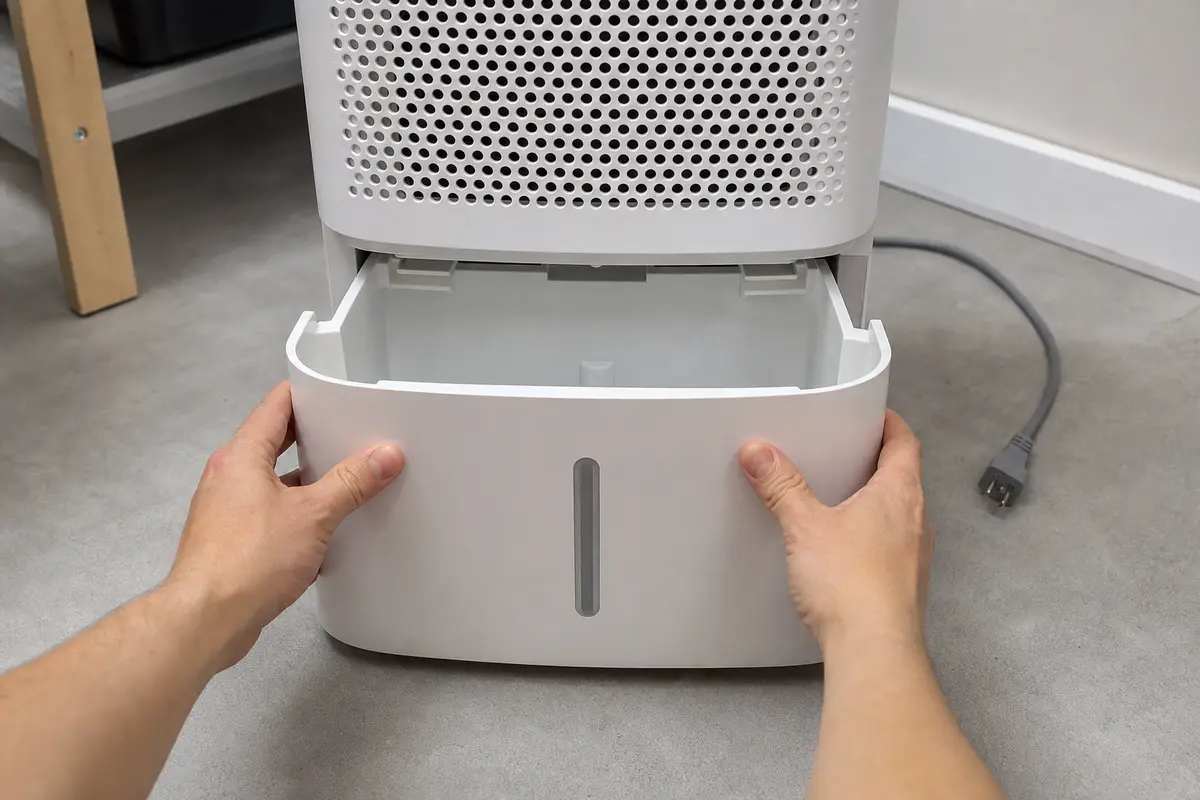
Dehumidifier overflow and bucket-full warning

Midea Dehumidifier P2 Code

Direct answer: A Midea dehumidifier P2 code usually means the machine thinks the water bucket is full. Most of the time the bucket is actually full, not seated all the way, the float is hung up, or the continuous drain setup is backing water into the bucket.

Most likely: Start with the bucket and float. Empty the bucket, wash out slime or debris, make sure the float moves freely, and slide the bucket back in firmly until it sits square.

This code is usually a simple water-level problem, not a mystery fault. Reality check: if the room is damp, the bucket can fill faster than people expect. Common wrong move: forcing the bucket in while the float is jammed, which leaves the same P2 code and can crack the bucket guides.

Don’t start with: Don’t start by ordering electronics. On this problem, a crooked bucket, sticky float, or drain issue is far more common than a failed control.

If the bucket is full or sloshingEmpty it, rinse it, and reinstall it straight.
If you use a hose drainCheck for a kink, uphill run, or clog before blaming the dehumidifier.
Last reviewed: 2026-04-17

What P2 usually looks like on a dehumidifier

P2 appears with a full bucket

The machine shuts off normally and the bucket is heavy or near the top.

Start here: Empty the bucket, clean the float area, and make sure the bucket slides fully back into place.

P2 stays on with an empty bucket

You reinstall the bucket and the code comes right back.

Start here: Look for a stuck float, warped bucket, or bucket switch that is not being pressed when the bucket is seated.

P2 shows up in continuous drain mode

A hose is connected, but water still collects in the bucket or the unit stops with P2.

Start here: Check the drain hose routing first. A kink, clog, or uphill section is more likely than a bad internal part.

P2 started after cleaning or moving the unit

The code appeared right after the bucket was washed, dropped, or reinstalled.

Start here: Inspect the bucket rails, float position, and bucket lip for anything out of line or not seated square.

Most likely causes

1. Bucket is full or not seated correctly

This is the most common reason. Even a slightly crooked bucket can keep the full-bucket signal active.

Quick check: Pull the bucket out, empty it, then slide it back in slowly and firmly until it sits flush on both sides.

2. Dehumidifier bucket float is stuck by slime, debris, or a warped bucket

If the float stays in the raised position, the machine reads the bucket as full even when it is empty.

Quick check: Move the float by hand. It should rise and drop freely without rubbing or hanging up.

3. Continuous drain hose is kinked, clogged, or routed uphill

When the hose cannot drain, water backs up into the bucket and trips the same full-bucket warning.

Quick check: Disconnect the hose and look for a low, steady downhill path with no sharp bends or packed debris.

4. Dehumidifier bucket switch or water level switch is not sensing correctly

After the bucket and float check out, a worn or misaligned switch can keep showing P2.

Quick check: With power unplugged, inspect the switch area for a broken lever, loose mount, or switch that is not contacted by the bucket.

Step-by-step fix

Step 1: Empty the bucket and reinstall it square

A true full bucket or a bucket that is just a little out of place is the fastest, most common fix.

  1. Turn the dehumidifier off and unplug it.
  2. Pull the water bucket straight out and empty it completely.
  3. Rinse the bucket with warm water. If there is film or slime, use mild soap and wipe it clean.
  4. Check the bucket edges and rails for cracks, warping, or anything keeping it from sliding in straight.
  5. Reinstall the bucket slowly until it sits fully flush and even.

Next move: If the P2 code clears and the unit starts running, the problem was a full or misseated bucket. If P2 comes back right away with an empty bucket, move to the float and switch checks.

What to conclude: The machine is still seeing a bucket-full signal even though the bucket is empty.

Stop if:
  • The bucket is cracked badly enough that it will not sit square.
  • Water has leaked into the controls or power cord area.
  • The bucket rails or housing are broken and the bucket cannot be secured.

Step 2: Check the dehumidifier bucket float for sticking

A sticky float is the next most likely cause when the bucket is empty but the code stays on.

  1. With the bucket removed, find the float inside or attached to the bucket area.
  2. Lift and lower the float by hand. It should move freely and return on its own.
  3. Clean away slime, mineral film, lint, or debris using warm water and a soft cloth.
  4. If the float rubs the bucket wall, inspect the bucket for swelling, distortion, or a bent float arm.
  5. Reinstall the bucket and test the unit again.

Next move: If the code clears after the float moves freely, the float was hanging up and falsely signaling a full bucket. If the float moves normally and P2 still stays on, check whether a drain hose problem is backing water up or whether the bucket switch is not reading correctly.

What to conclude: You have ruled out the easy mechanical float jam and narrowed it to drainage, alignment, or the sensing switch.

Step 3: Separate bucket mode from continuous drain mode

A drain hose problem can look exactly like a bucket fault because the bucket still ends up filling and tripping P2.

  1. If a drain hose is attached, unplug the unit and disconnect the hose.
  2. Inspect the hose for kinks, pinches, slime, or a section that runs uphill.
  3. Flush the hose with water at a sink if it looks restricted.
  4. Make sure the hose route drops steadily downward with no high loop trapping water.
  5. Run the dehumidifier briefly with the hose removed and the bucket installed to see whether P2 behavior changes.

Next move: If the unit runs normally with the hose removed or after the hose is corrected, the problem was the drain setup, not an internal failure. If P2 still appears with a clean, empty bucket and no hose issue, inspect the bucket switch area next.

Step 4: Inspect the dehumidifier bucket switch area

Once the bucket, float, and hose are ruled out, the bucket-full sensing switch becomes the strongest remaining cause.

  1. Keep the unit unplugged.
  2. Look into the bucket opening for the small lever, tab, or switch the bucket presses when installed.
  3. Check for lint, corrosion, a loose bracket, or a broken plastic actuator.
  4. Gently press the switch or lever by hand to see whether it moves cleanly and springs back.
  5. Reinstall the bucket and watch whether the bucket actually contacts the switch point.

Next move: If you find a loose or blocked switch and correct the alignment, the P2 code may clear without replacing anything. If the switch is broken, loose, or not responding even though the bucket and float are fine, replacement is the likely fix.

Step 5: Replace the failed sensing part or stop and schedule service

By this point you have ruled out the common no-parts causes. The remaining repair is usually a bucket switch or float-related sensing part.

  1. Replace the dehumidifier bucket switch if the bucket no longer actuates it correctly or the switch is physically damaged.
  2. Replace the dehumidifier float switch or water level switch if the float side is broken or the full-bucket signal stays active with a known-good bucket fit.
  3. If the bucket itself is warped or cracked enough to misread full, replace the dehumidifier water bucket instead of forcing it to work.
  4. After replacement, reinstall the bucket, restore power, and run the unit long enough to confirm the P2 code stays off.
  5. If you cannot confirm the switch type or access the part safely, stop here and book appliance service.

A good result: If the unit runs, collects water normally, and no longer flashes P2, the repair is complete.

If not: If P2 remains after the bucket, float, hose, and switch checks, the fault is likely deeper in the control circuit and is not a smart guess-and-buy repair.

What to conclude: You have reached the point where a confirmed sensing-part replacement makes sense, or the job needs a technician with live testing.

Replacement Parts

Repair Riot may earn a commission from qualifying purchases, at no extra cost to you.

FAQ

What does P2 mean on a Midea dehumidifier?

It usually means the unit thinks the water bucket is full. That can be a truly full bucket, a bucket that is not seated correctly, a stuck float, a drain hose problem in continuous mode, or a failed bucket-full sensing switch.

Why does my dehumidifier still say P2 after I emptied the bucket?

Most often the bucket is not fully seated, the float is stuck in the up position, or the bucket switch is not being pressed. Start by cleaning the bucket and float and reinstalling the bucket carefully before assuming an electrical failure.

Can a clogged drain hose cause a P2 code?

Yes. In continuous drain mode, a kinked or clogged hose can keep water from leaving the unit. The bucket area then backs up and the machine reads that as full.

Is it safe to keep resetting the unit when P2 shows?

A quick reset is fine after you empty and reinstall the bucket, but repeated resetting without fixing the cause does not help. If the bucket is empty and the code keeps returning, inspect the float and switch instead of forcing more restarts.

When should I replace a part for a P2 code?

Replace a part only after the bucket is confirmed empty and seated properly, the float moves freely, and the drain hose setup is known good. If the full-bucket signal still stays on, the dehumidifier bucket switch, float switch, or water level switch becomes the likely repair.